Denti.AI, 2025
PHI Report Redesign
Clinics asked for more data in an AI-generated periodontal report — without making it bigger. I fit 192 bleeding points, two new scores and a full-mouth stage view into the same footprint, and made it adapt to any screen or to paper.
- Role
- Product Designer
- Team
- CTO as project lead, one frontend engineer
- Year
- 2025
- 0 pxadded to the report, while it gained 192 data points and a full-mouth stage view
- 84%of clinics kept the new design without prompting
- +5%growth in Voice Perio usage after release
Context
Denti.AI Voice Perio lets dentists fill in a periodontal chart by voice during an exam. They don’t have to type anything or call in an assistant. A perio chart is the standard dental record of gum health: pocket depths, bleeding, mobility and furcation, for every tooth.
When the chart is complete, the dentist also gets a PHI (Periodontal Health Index) report. It’s an AI-generated summary of the patient’s periodontal condition, key findings, risk factors and treatment recommendations, and its main job is to help the patient understand the state of their own teeth.
By the time of this redesign, Voice Perio had completed over 1 million perio charts in clinics across the USA and Canada. Denti.AI works directly with individual clinics, so feedback reaches the team constantly. Once the feedback on a feature crosses a threshold, the team reworks it. This case is that stage of the PHI report’s life.
The problem
The task was to fix the report’s key issues and make it more educational for patients, while preserving the existing format.
Here’s what clinics told us:
- “Too little space for info”
- “Too much blank space”
- “We want to see suppuration and plaque scores too”
They also said the report was impossible to use on phones and tablets, and they wanted it to look just as good in print, as a generated PDF. On top of that, they asked for two new things: bleeding points for every tooth (6 sites × 32 teeth = 192 points) and a stage visualization for the whole mouth.
My own review added one more problem: the layout itself felt clumsy and unbalanced.
So the report needed more data, the same size, and a layout that could adapt to any medium.
Decision 1: a selector, not a scale
The old report showed oral health on a horizontal six-step scale. On closer look, it wasn’t a real scale at all. It was a selector with six fixed values, and laying it out horizontally only took up space without adding meaning.
I replaced it with a compact radio group. The six health stages were the same stages as the new full-mouth visualization, so I merged the two into one block. The block works just as well vertically as horizontally, which turned out to matter for the layout later.
Decision 2: put the data inside the tooth chart
There was no obvious way to add 192 bleeding points to a report that was already short on space. Any new block would make the report bigger, and that was exactly what clinics didn’t want.
So I started with the tooth chart itself. I redrew it so the teeth look like actual teeth, which made it easier for patients to read. The new shapes left room for the data, so I placed all six bleeding sites per tooth and every pocket depth of 4 mm or more directly on the chart. The block didn’t grow at all.
The new report has a more confident layout and higher information density. Every new element found its place, and the overall footprint stayed the same.
Decision 3: one structure for any medium
The report is built from modules that rearrange without changing their content. The same structure becomes a wide desktop layout, a single mobile column or a printable page, and it can adapt to any other format the same way.
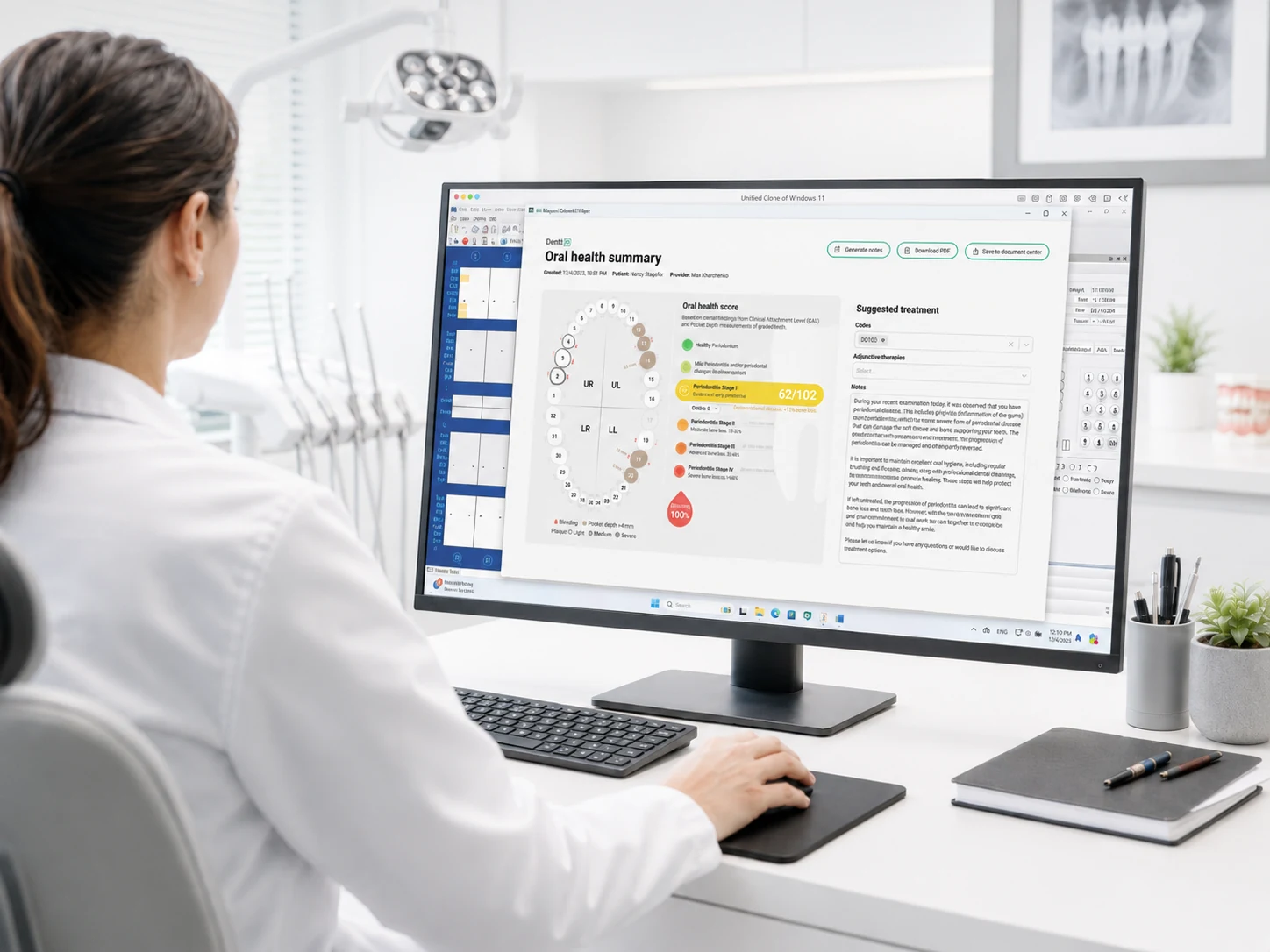 Desktop
 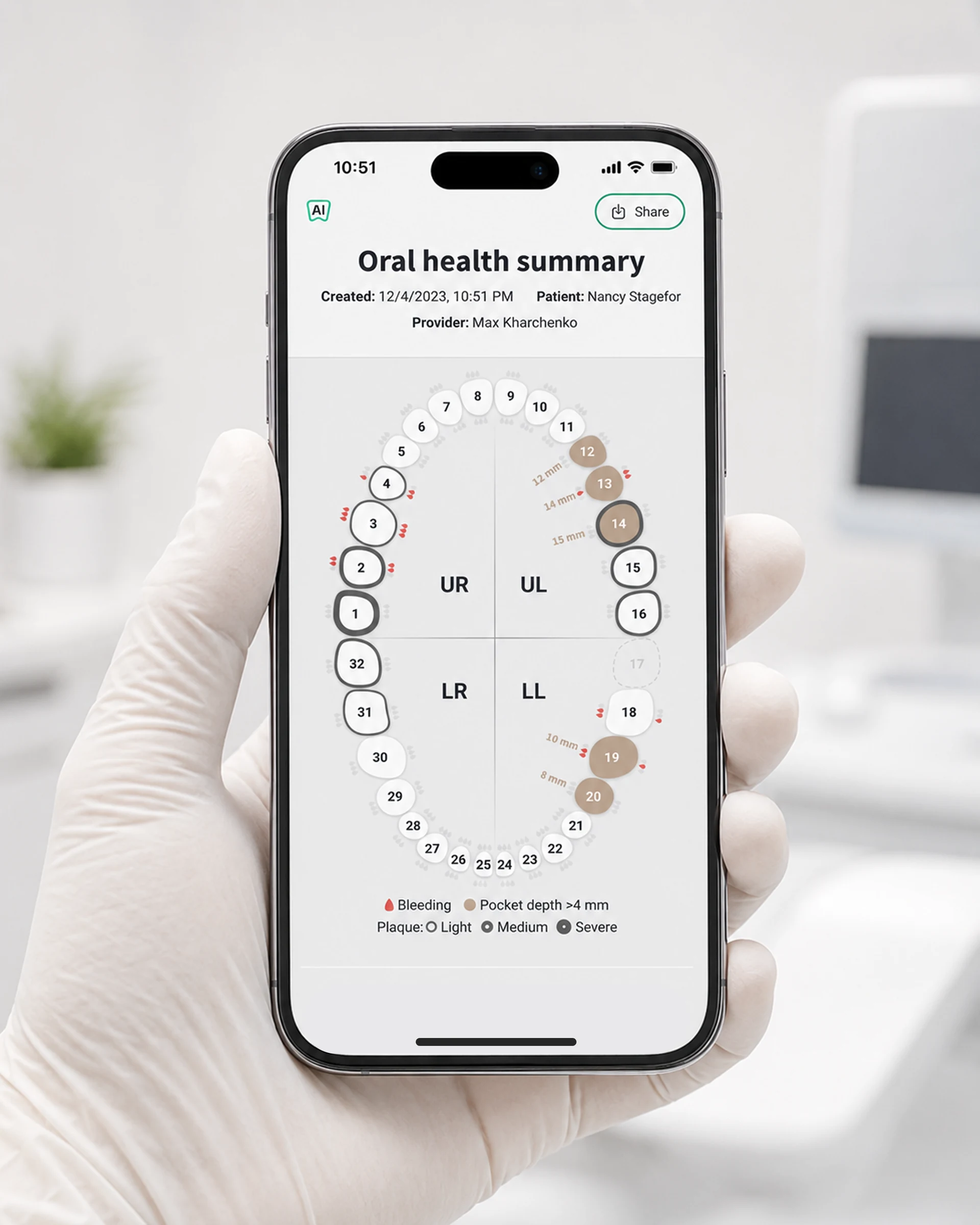 Mobile
 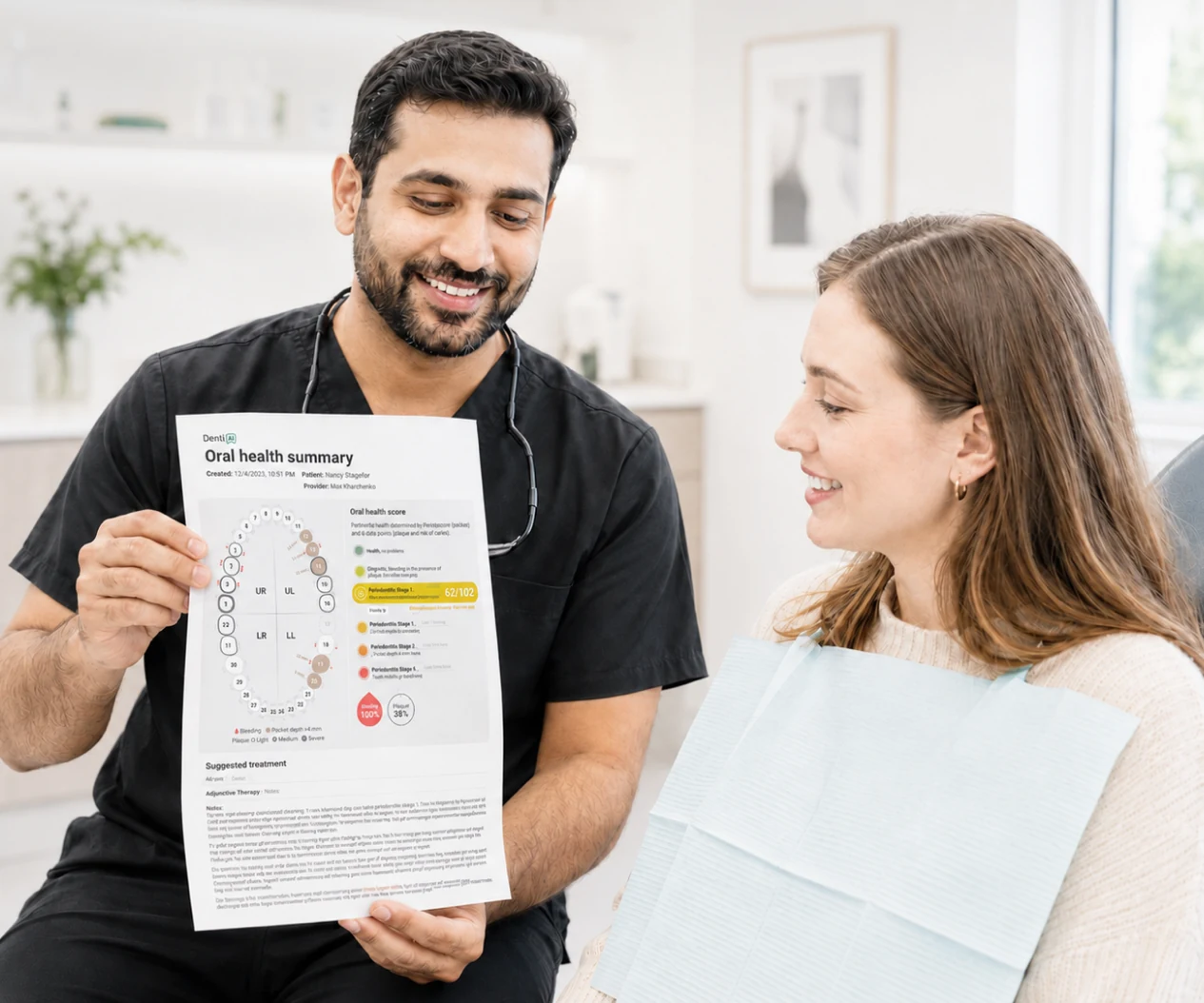 Print
Print Results
After two weeks with the new design, 84% of clinics stayed with it without any prompting. Only 16% switched back to the old version. Over the same period, PHI usage grew by 2% and Voice Perio usage by 5%.
The report itself now carries noticeably more useful information per unit of space: 192 bleeding points, suppuration and plaque scores, and a stage view of the whole mouth, all within the original footprint.
That validated the approach, and the new report design was rolled out across all Denti.AI products.